Manage your product catalogue
Keep SKU, HSN or SAC code, unit, GST rate and price in one catalogue.
The product catalogue feeds every quotation and invoice, so you type each product once.
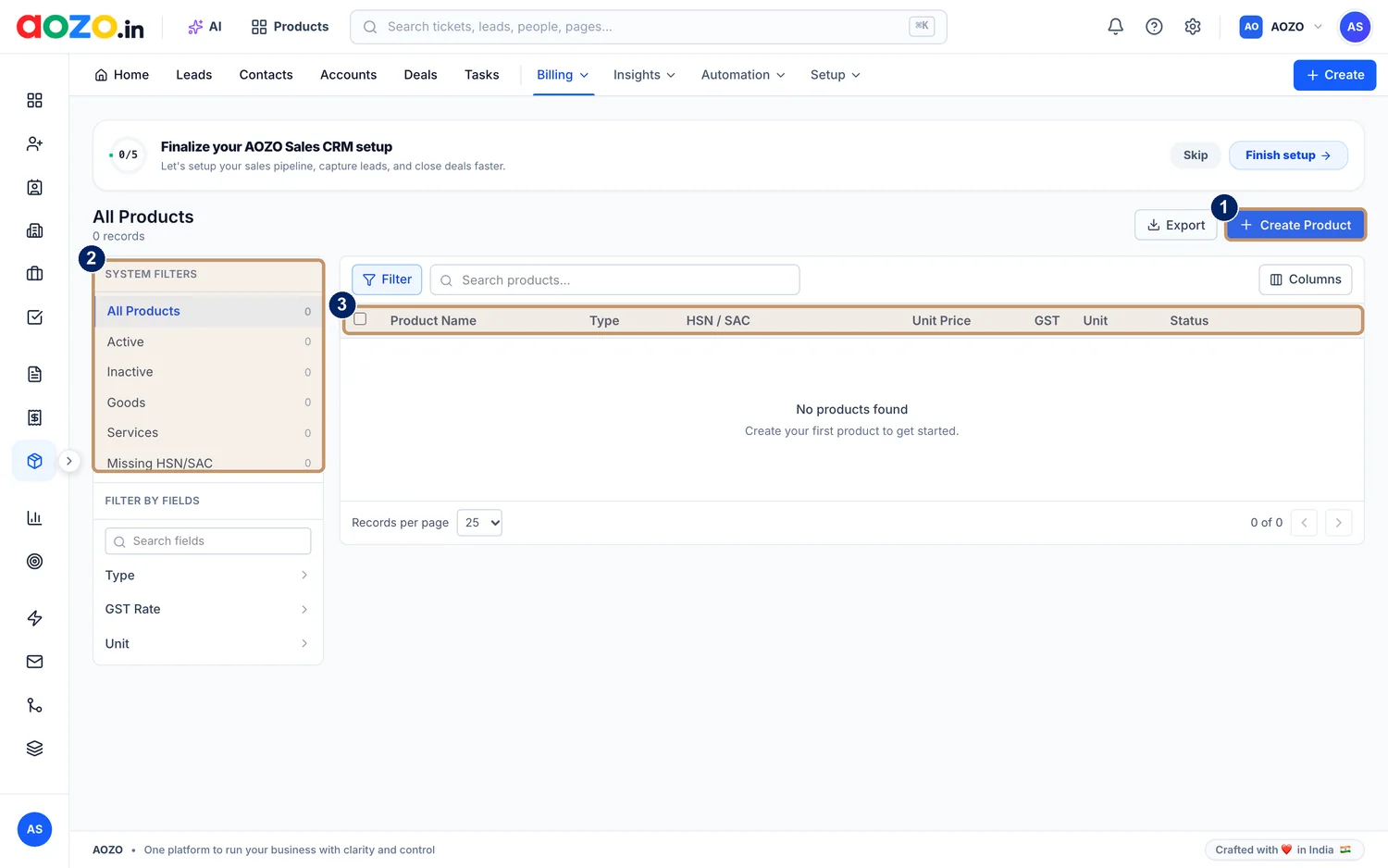
- Create Product
- System filters: All Products, Active, Inactive, Goods, Services and Missing HSN or SAC
- Columns: product name, type, HSN or SAC, unit price, GST, unit and status
Open the catalogue
In Billing, open Products. The page title shows “All Products”.

- Billing
Choose Create Product
Select the blue Create Product button.
Describe the product
Enter the name, whether it is goods or a service, its HSN or SAC code, unit price, GST rate and unit.
Save
The product appears in the list with an Active status and is ready to add to invoices.

#Keep the catalogue clean
- Use the Missing HSN or SAC filter to find products that need a code.
- Use Active and Inactive to retire products without deleting them.
- Filter by Type, GST Rate or Unit to review groups of products.
- Choose Export to download the catalogue.