Organisations and access
Find your organisation id and send it with every request.
A person can belong to more than one organisation. Every call that touches workspace data must say which one.
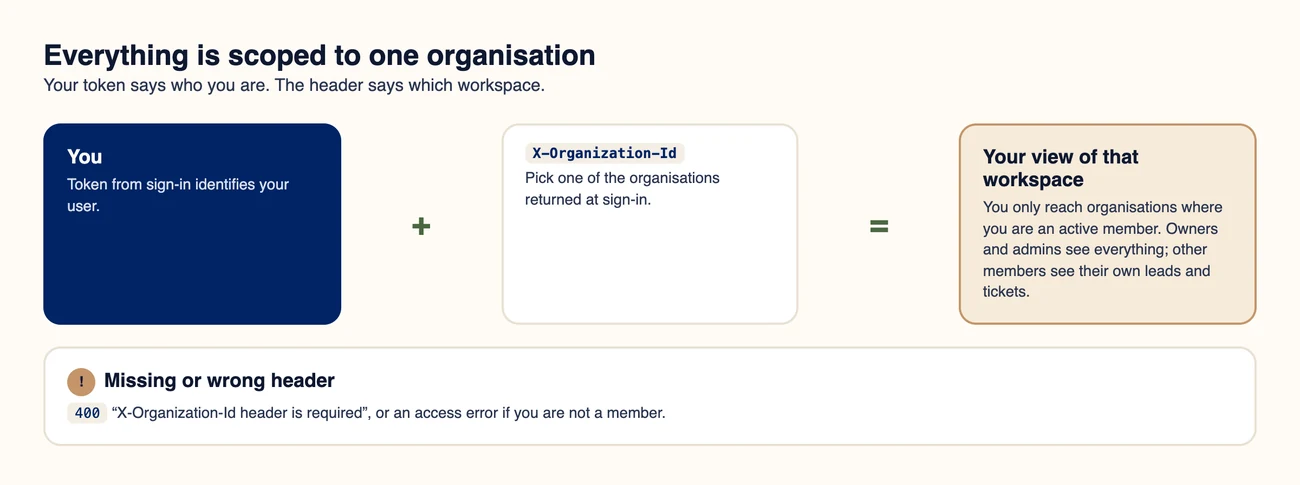
Token plus organisation header.
#Find your organisation id
- The sign-in response includes an organizations list. Use the id value.
- GET /api/auth/me returns your profile and your organisations too.
#Send it
Request
curl https://api.aozo.in/api/crm/leads \
  -H "Authorization: Bearer YOUR_TOKEN" \
-H "X-Organization-Id: ORG_ID"#What can go wrong
| Status | Message | Meaning |
|---|---|---|
| 400 | X-Organization-Id header is required | You did not send the organisation header. |
| 403 | Access to the organisation is not allowed | You are not an active member of that organisation. |
| 404 | Organization not found | The id does not exist. |
Note
Use the same organisation id for the whole session unless you deliberately switch workspace.