Set up leave and comp-off
Understand accrual, balances, requests, approvals and the leave ledger.
Leave accrues automatically each month, and employees apply and track their requests in the same place.
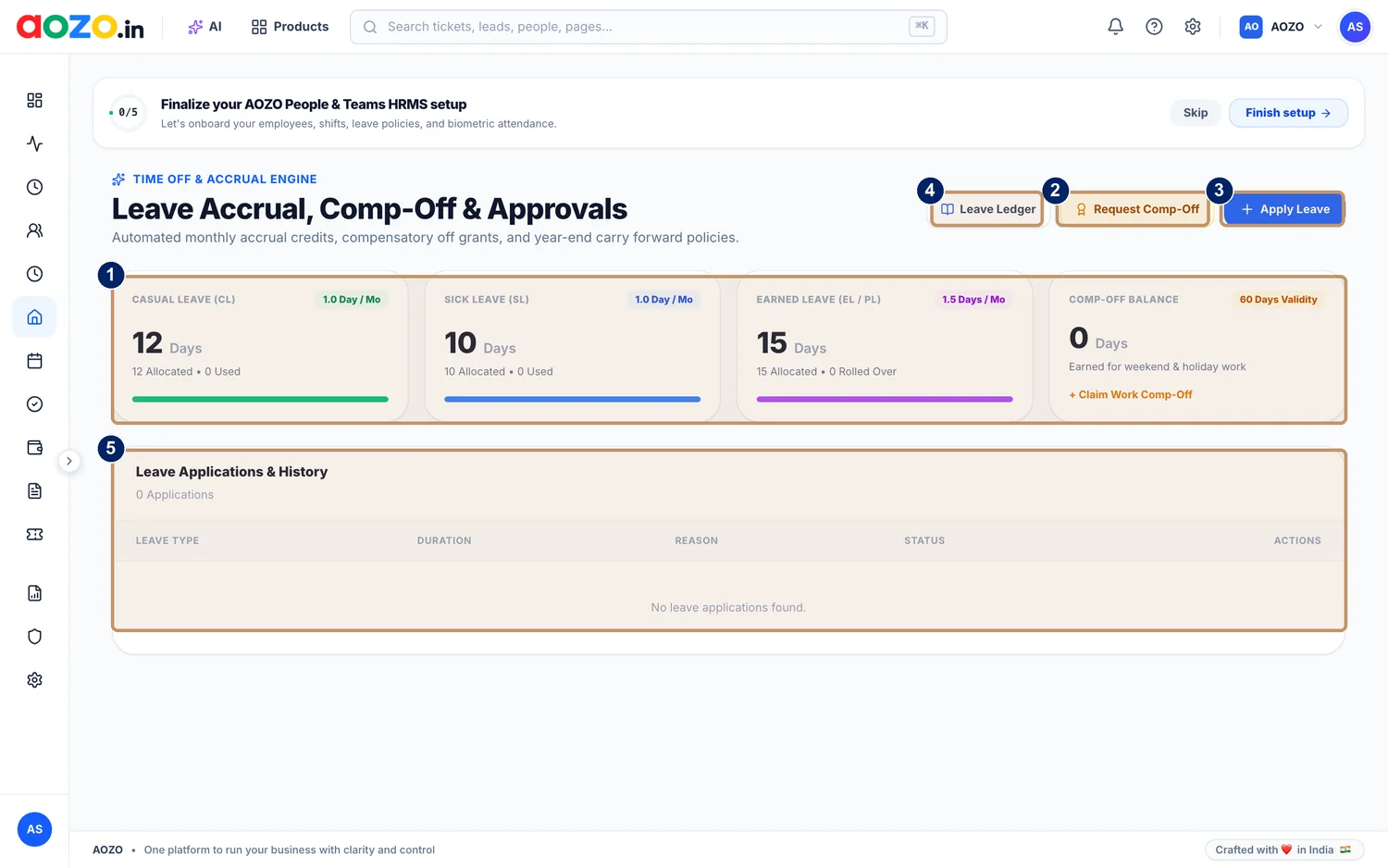
- Balances for casual, sick and earned leave and the comp-off balance
- Request Comp-Off
- Apply Leave
- Leave Ledger
- Leave Applications and History
#What you see
| Card | Meaning |
|---|---|
| Casual leave (CL) | Balance, with how much accrues each month |
| Sick leave (SL) | Balance, with how much accrues each month |
| Earned leave (EL or PL) | Balance, with how much accrues each month and what carries over |
| Comp-off balance | Time off earned for weekend and holiday work |
#Apply for leave
Open Leave
Choose Leave in AOZO Teams.
Choose Apply Leave
Select the Apply Leave button.

- Apply Leave
Fill in the request
Pick the leave type, the dates and a reason.
Submit
The request appears under Leave Applications and History with its status.

- Leave Applications and History


#Claim comp-off
When you work a weekend or a holiday, choose Request Comp-Off. The balance shows how much comp-off you have earned and how long it stays valid.

- Request Comp-Off
#Check how a balance changed
Open the Leave Ledger to see every accrual, use and adjustment behind your balances.

- Leave Ledger
Tip
Admins approve or reject requests; employees see the outcome in their own view.