Run payroll
Run payroll with EPF, ESI, Professional Tax and TDS, then export a bank NEFT batch.
The Payroll hub automates statutory deductions and exports a bank batch for salary runs.
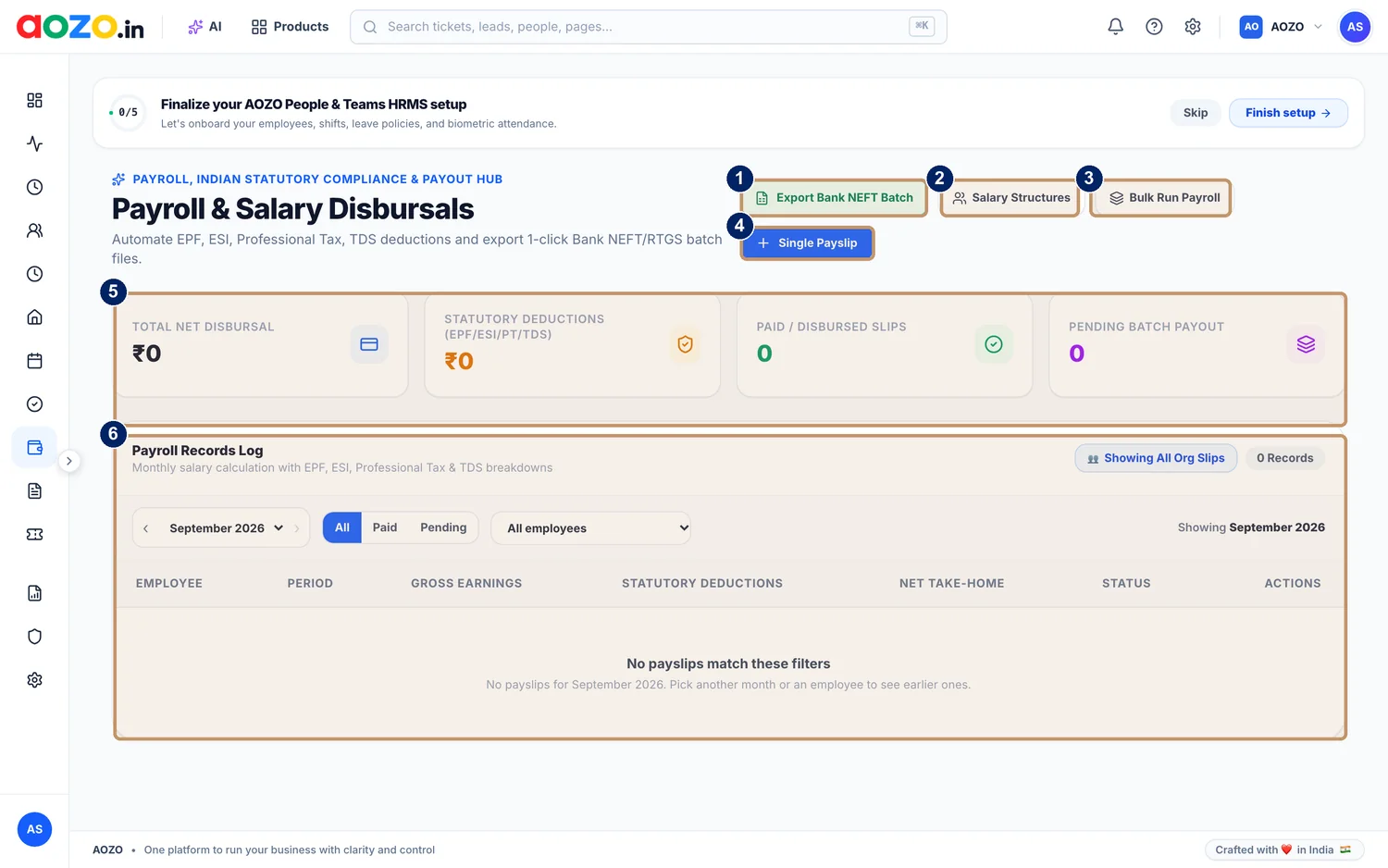
- Export Bank NEFT Batch
- Salary Structures
- Bulk Run Payroll
- Single Payslip
- Summary: total net disbursal, statutory deductions, paid and pending
- Payroll Records Log
#Before you start
- Your employees are in the Employee Directory.
- Each employee has a salary structure.
- Your attendance and leave for the month are up to date.
#Run the month
Set up salary structures
Choose Salary Structures and define how each employee’s pay is made up.

- Salary Structures
Pick the month
In the Payroll Records Log choose the month, for example September 2026.
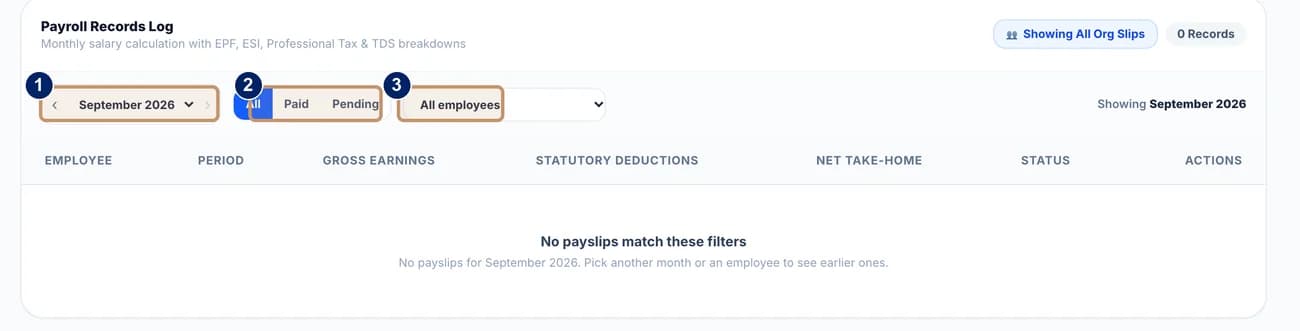
- Month
- All, Paid or Pending
- Employee
Run payroll
Choose Bulk Run Payroll to process everyone, or Single Payslip for one person.

- Bulk Run Payroll
Review the records
The log shows each employee’s period, gross earnings, statutory deductions, net take-home and status. Filter by All, Paid or Pending, or by employee.
Export the bank batch
Choose Export Bank NEFT Batch to download the file for your bank.

- Export Bank NEFT Batch
Share payslips
Employees see their own payslips in their own view.



#Statutory deductions
| Deduction | In plain words |
|---|---|
| EPF | Provident fund contributions |
| ESI | Employees’ State Insurance |
| Professional Tax | State tax on salaried people |
| TDS | Income tax deducted at source |
Note
Please confirm deduction rules and due dates for your business with your accountant.