Create your workspace
Sign up at app.aozo.in, create your organisation and become its owner.
A workspace is your organisation in AOZO. Everyone you invite, and every app you switch on, lives inside it.
#Before you start
- A work email address you can open.
- Your company name. GSTIN and branding can be added later.
#Create it
Open app.aozo.in
Go to app.aozo.in and choose Create an account.
Sign in
Use an email code, a password or Google.
Enter your organisation details
Add your organisation name. You become the owner of the workspace.
Switch on the apps you need
Each app is its own subscription, so start with one. Open Billing and Subscriptions to add more later.
#Your workspace home
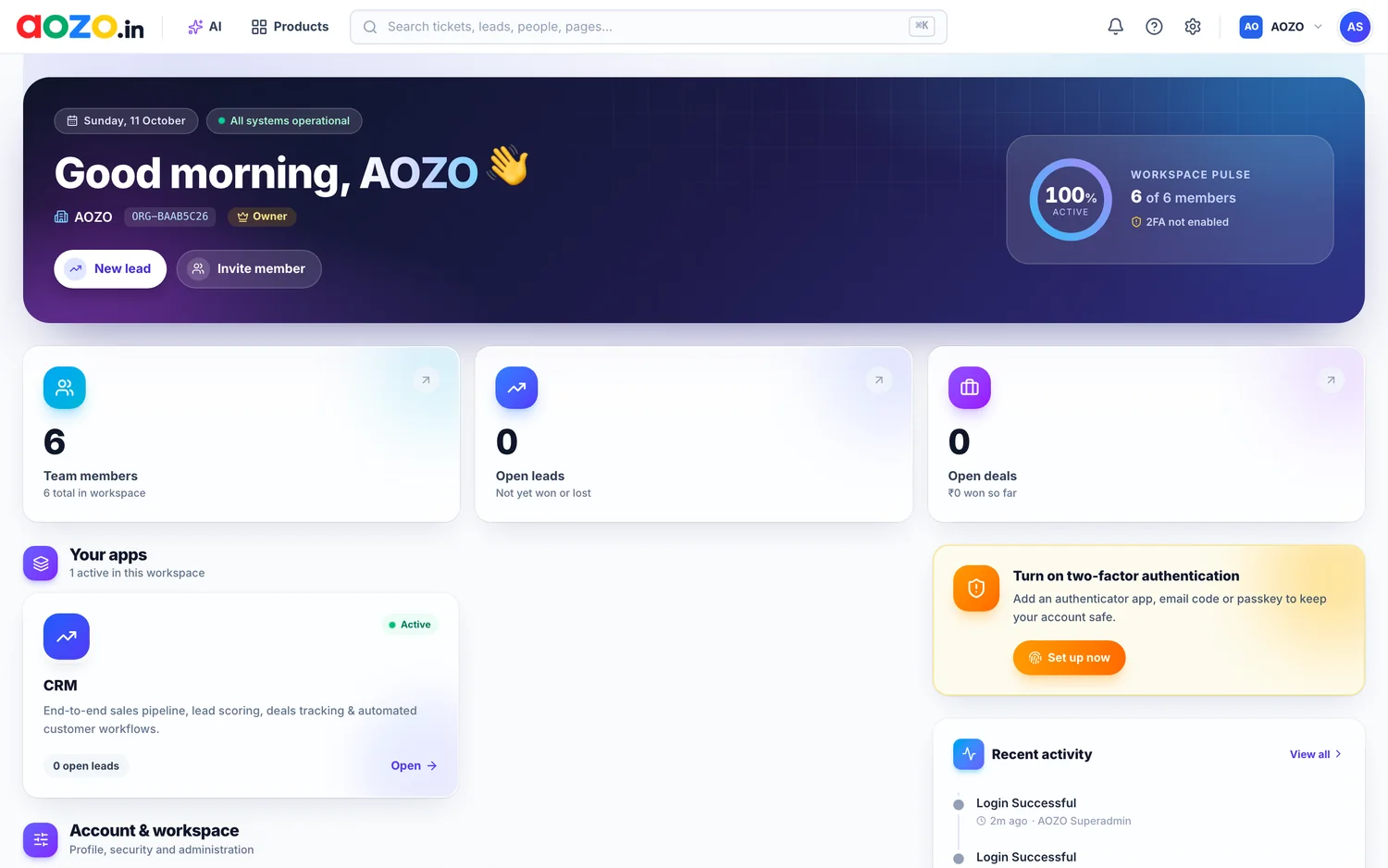
After sign-in you land on your workspace home. It greets you by name, shows how many team members, open leads and open deals you have, lists your apps and recent activity, and reminds you to turn on two-factor authentication.
#Next steps
- Set up your organisation profile and domain.
- Invite your team and set their roles.
- Turn on two-factor sign-in.
- Open your first app and bring your data in.