Automate with workflows
Create rules that assign new leads, add follow-up tasks and nudge the team about stuck deals.
Workflows run the routine steps that happen the same way every time, so nobody has to remember them. Rules run on their own.
#What a workflow can do
- Assign new leads to the right person.
- Create follow-up tasks.
- Nudge the team about deals that are stuck.
#Create your first workflow
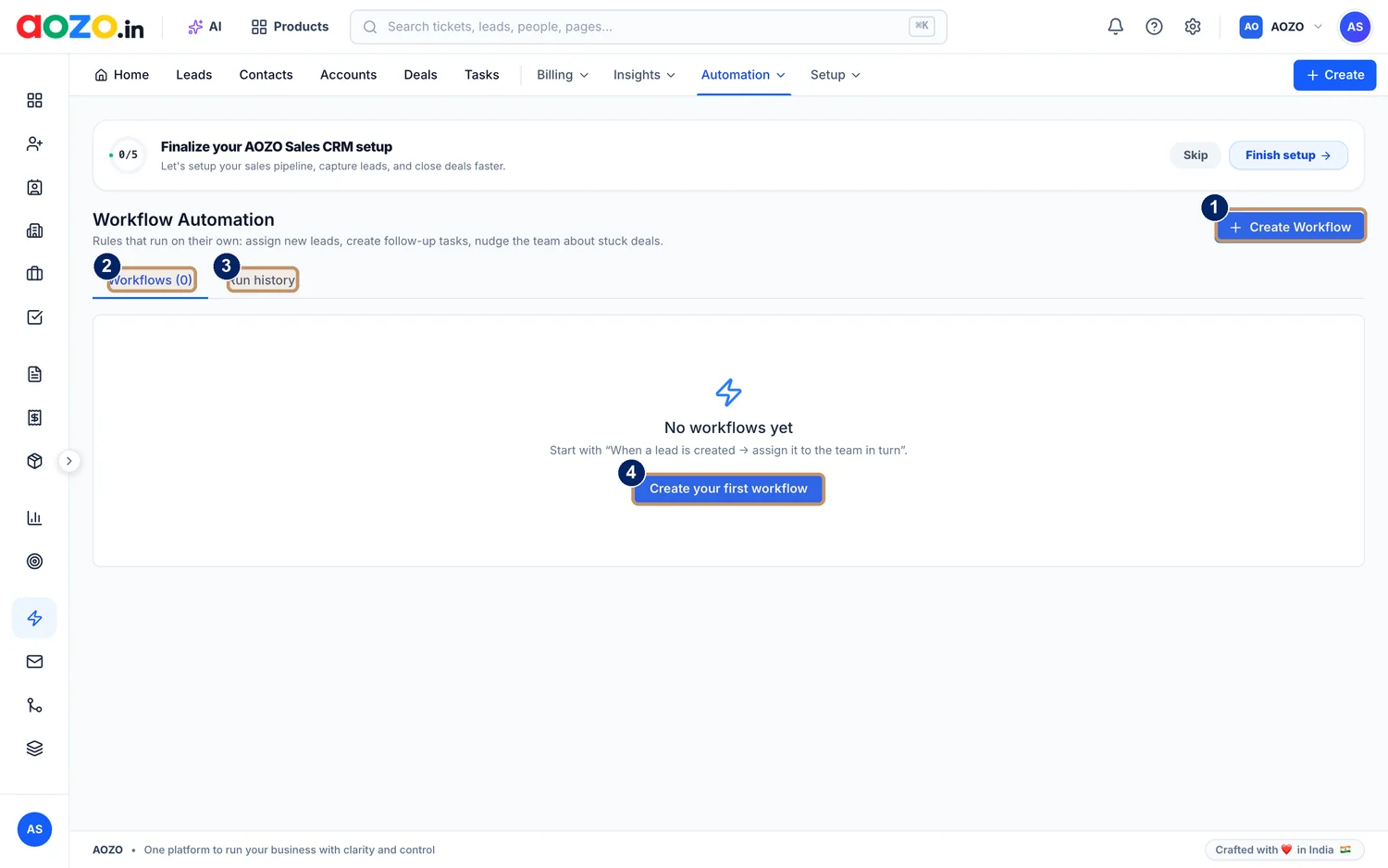
- Create Workflow
- Workflows tab: your rules and how many there are
- Run history tab: what ran and when
- Create your first workflow, shown while the list is empty
Open Automation
In the CRM top menu choose Automation, then Workflows. You will see “No workflows yet” until you create one.

- Automation
Start a workflow
Choose Create Workflow (or Create your first workflow). A good first rule follows the example on the screen: “When a lead is created, assign it to the team in turn”.

- Create your first workflow
Pick the trigger and the action
Choose what starts the rule, for example a new lead, then what should happen, for example assign it or create a follow-up task.
Turn it on
Save the workflow and switch it on. It now runs by itself.
Check what ran
Open the Run history tab to see when each workflow ran.

- Workflows tab
- Run history tab



#Good first workflows
- Assign every new lead to the next person on the team, in turn.
- Create a follow-up task when a lead moves to Proposal Sent.
- Nudge the owner when a deal has not moved for a while.
Start with one simple rule, watch the Run history for a week, then add more.