Inventory and recipes
Link ingredients to dishes so every sale deducts stock.
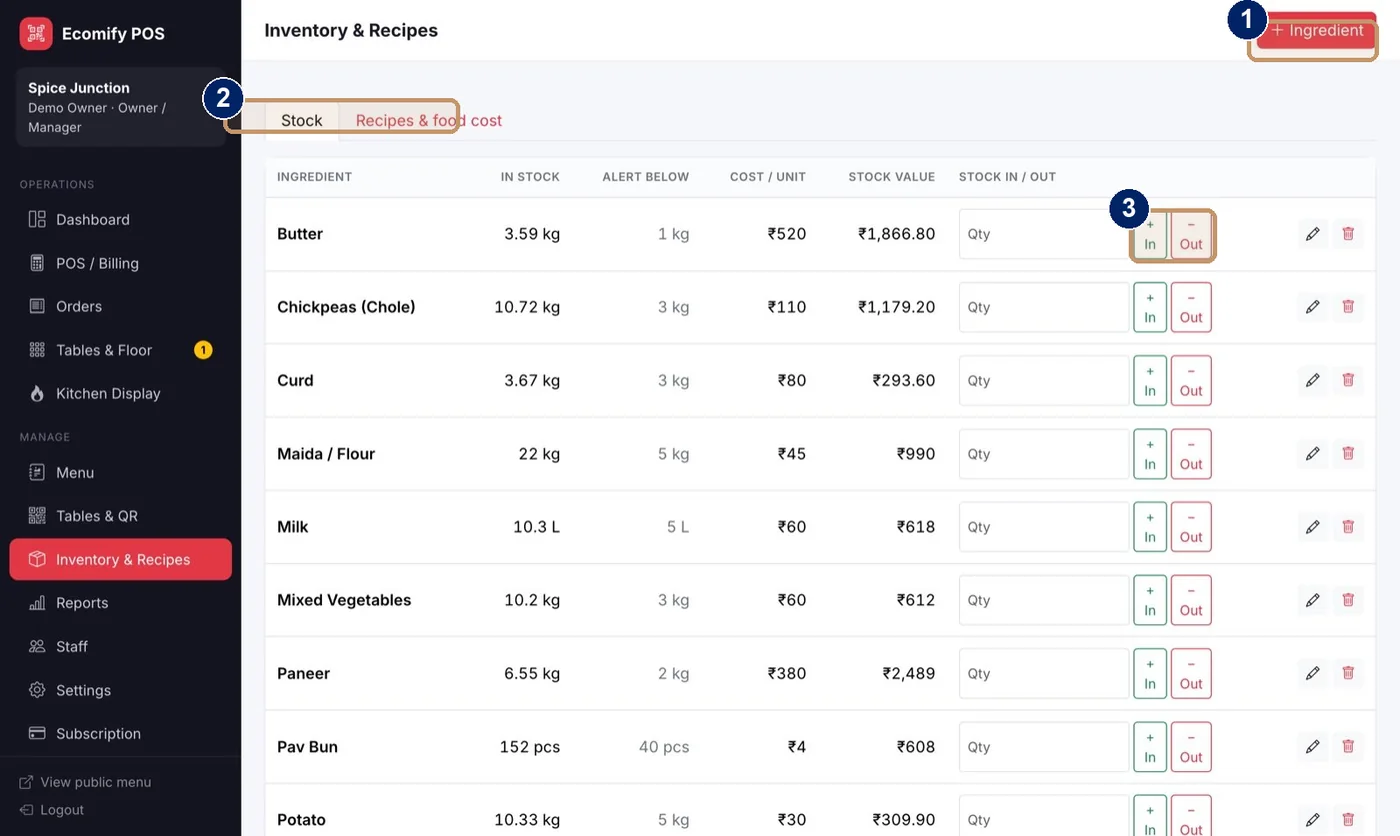
- Add an ingredient
- Stock and Recipes and food cost tabs
- In and Out buttons to record stock changes
Add your ingredients
Open Inventory and Recipes and choose Ingredient to add each one with its unit, stock, alert level and cost.
Enter each recipe once
Open Recipes and food cost and enter the recipe, for example 150 g paneer and 30 g butter per Paneer Butter Masala.
Sell as normal
Every plate sold now deducts the ingredients.
Record stock changes
Use In and Out to record stock coming in and wastage, with one click.
Watch the alerts
Low-stock alerts appear on the dashboard when an ingredient falls below its alert level.
- Food cost and cost % show for every dish.
- The Stock tab lists ingredient, stock, alert level, cost per unit and stock value.
Note
Inventory and recipe costing is available on the Growth and Pro plans.