Use the kitchen display
Run it on any tablet or TV with a browser.
The kitchen display shows every active ticket, colour-coded by stage.
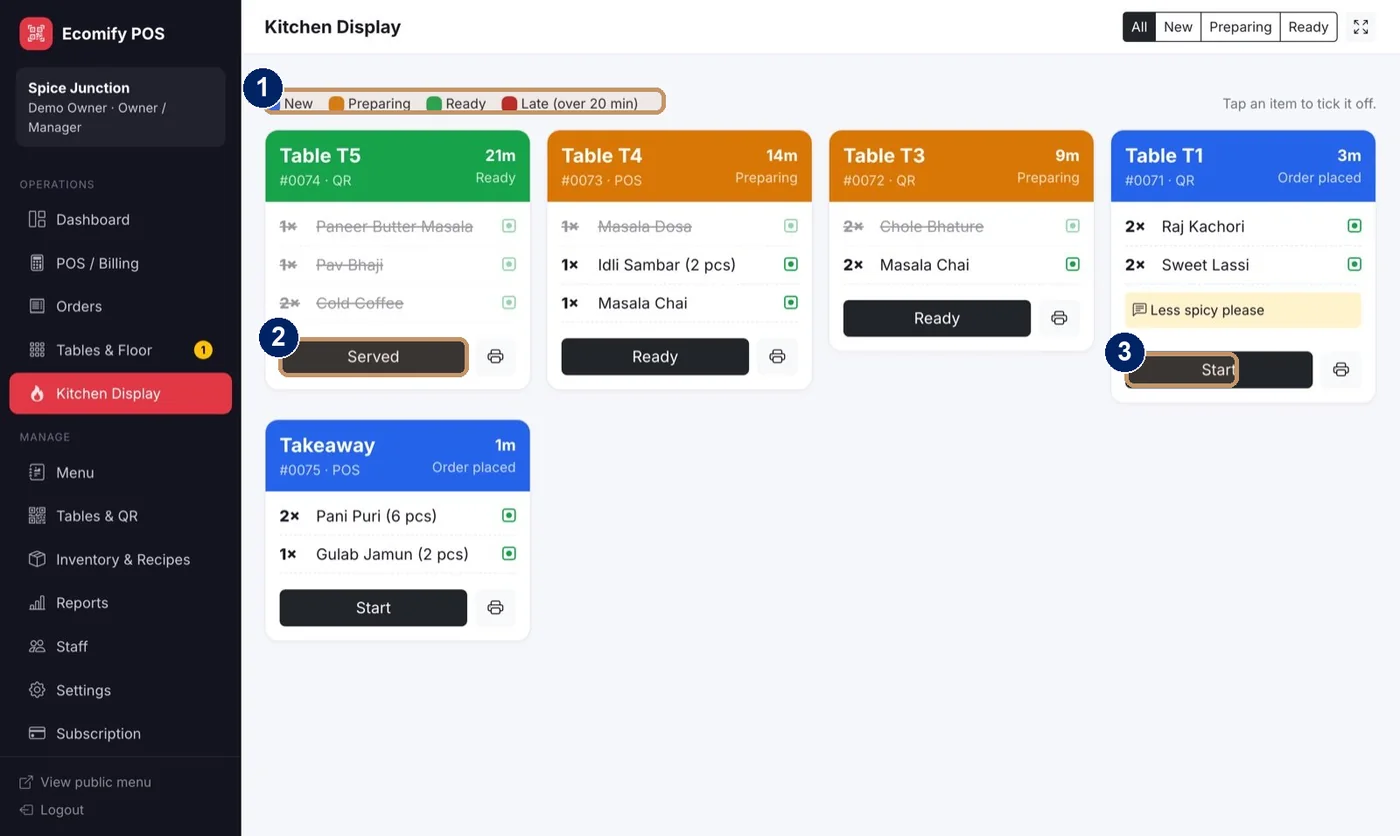
- Legend: New, Preparing, Ready and Late (over 20 minutes)
- Served or Ready, to move a ticket on
- Start, to begin a new ticket
Open Kitchen Display
Choose Kitchen Display in the menu on a tablet or TV.
Start a ticket
Choose Start when you begin cooking. The ticket moves to Preparing.
Tick off items
Tap an item to tick it off. Notes such as “less spicy” show on the ticket.
Mark it Ready
Tap Ready when the food is done. The guest’s phone updates.
Mark it Served
Tap Served when it reaches the table.
Print a KOT
Use the printer icon on any ticket to print a KOT.
Note
Tickets turn red after 20 minutes so late orders stand out.