
Pay for the apps you actually use.
AOZO is subscribed per product. Begin with one app and switch on more as your team grows. Plans and prices for each app are shown inside your workspace.
Pick your app
Start with CRM, Helpdesk, Projects, Accounting, Teams or Hubble.
Choose a plan
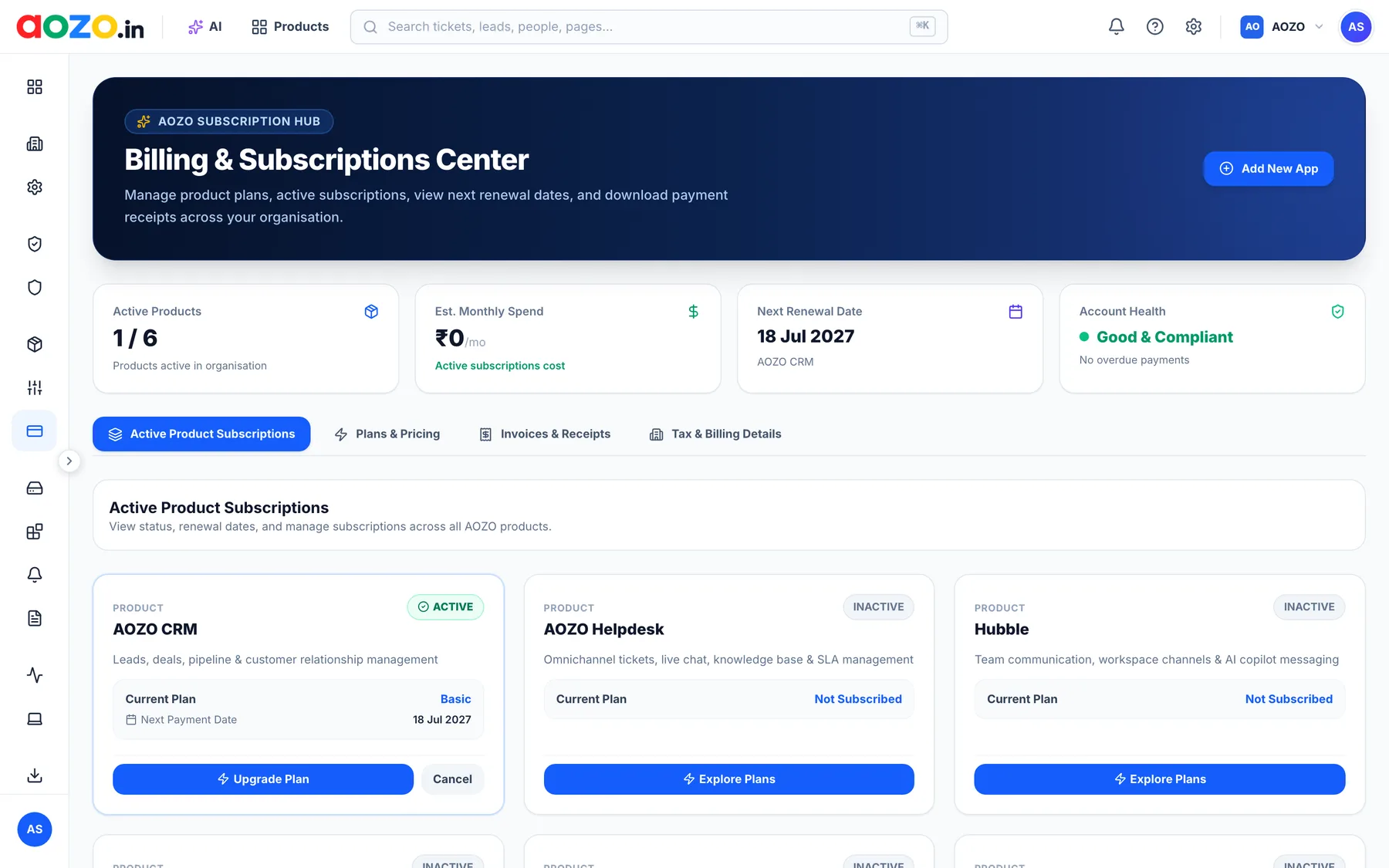
Each product has its own plans. Upgrade or cancel from the Billing center.
Clear renewals
See every renewal date and active subscription in one view.
Invoices & receipts
Download payment receipts and manage tax and billing details.
One Billing center for everything
See which products are active, your estimated monthly spend, the next renewal date and your account health, all in one place.
 AOZO CRM
 AOZO Helpdesk
 AOZO Projects
 AOZO Accounting
 AOZO Teams
 Hubble
Pricing questions, answered
How is AOZO priced?
AOZO is subscribed per app. Each product has its own plans, which you can see and change in the Billing & Subscriptions center of your workspace.
Can I start with just one app?
Yes. Many teams start with one app, such as CRM or Helpdesk, and add others as they grow.
How do I cancel or upgrade?
Open the Billing & Subscriptions center, choose the app and select Upgrade Plan or Cancel. Cancellation stops future renewals and you keep access until the end of the paid period.
Do prices include GST?
Prices are shown without GST. Applicable tax is added to your invoice, and you can add your GSTIN under Tax & Billing Details.
Where can I download invoices?
In the Billing center under Invoices & Receipts.