ProductsAOZO Accounting
Get startedQuotation to invoice to receipt.
Invoicing without the spreadsheets. Send a quotation, turn it into an invoice, share a PDF receipt, and see what is paid, partly paid, unpaid or overdue.
- PDF receipts
- Paid, partial, unpaid, overdue
- Linked to CRM
From deal to receipt
How AOZO Accounting handles a sale.
- Send a quotation
Send a proposal to your customer.
- Convert it
When the deal closes, convert the quotation into an invoice in one click.
- Track payment
See each invoice as Paid, Partially paid, Unpaid or Overdue.
- Send the receipt
Generate a PDF receipt for your customer.
What AOZO Accounting does
Quotations and estimates
Send a proposal, then convert it to an invoice in one click. Quotations can also become pro-forma invoices, and partial invoicing is supported.
Payment tracking
Paid, Partially paid, Unpaid and Overdue tracking, with smart views for high-value and invoiced-today bills.
Expenses
Log expenses by category, amount and payment mode, and keep the books tidy.
Credit and debit notes
Issue credit and debit notes against invoices.
Recurring invoices
Set up recurring invoices and retainers for repeat billing.
Sales orders and challans
Create sales orders and delivery challans alongside your invoices.
Pro-forma invoices
Pro-forma invoices and billing receipts when a customer needs one before the final bill.
Overdue reminders
AI spots overdue payments and drafts polite reminders for your customers.
A closer look
Real screens from AOZO Accounting. Images show sample data.
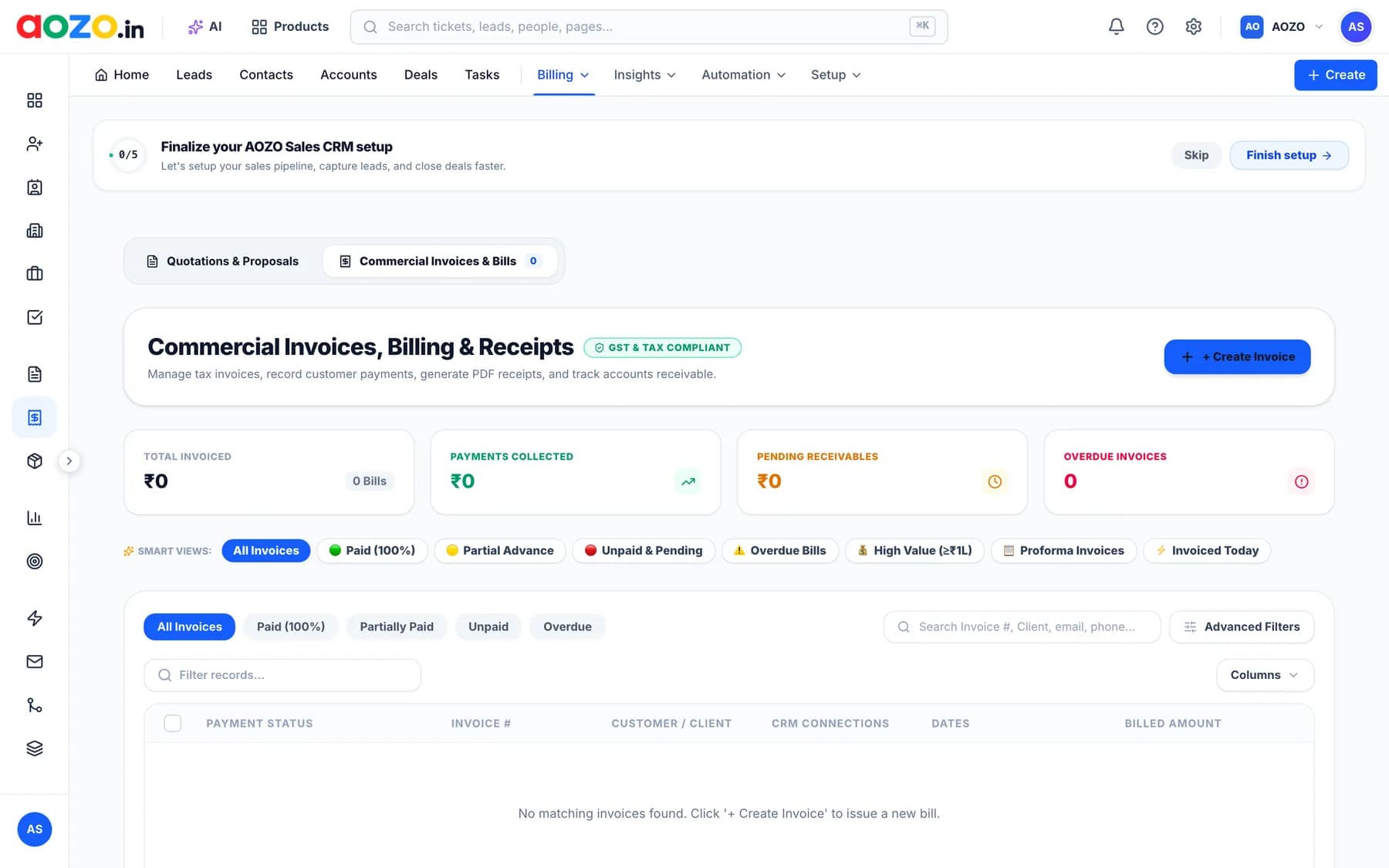
Know who has paid, and who hasn’t
See your totals at a glance, then jump into the invoices that need attention.
- Total invoiced, payments collected, pending receivables and overdue invoices
- Smart views: Paid, Partial advance, Unpaid and pending, Overdue bills, High value and Proforma invoices
- Invoiced today in one click
- Paid, Partially paid, Unpaid and Overdue filters

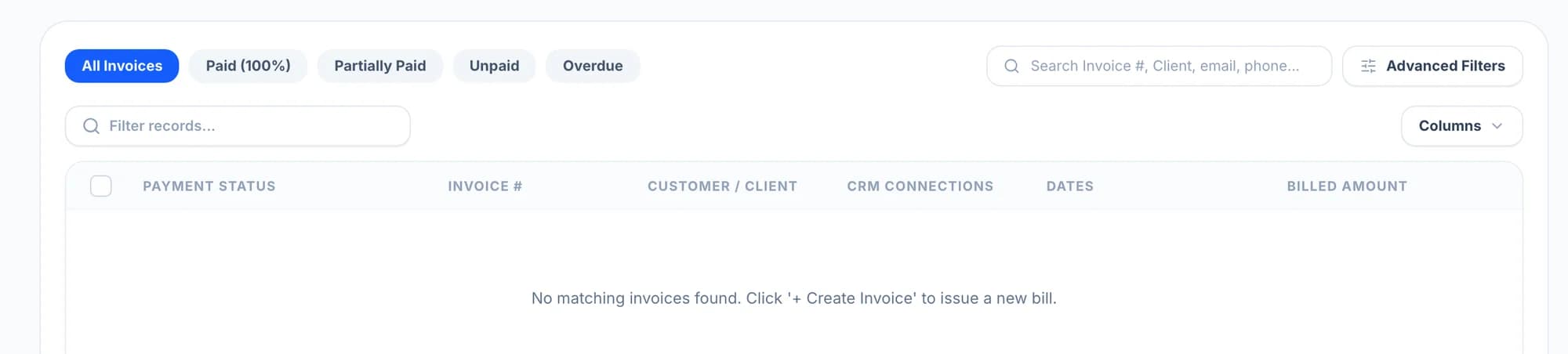
Invoices that know your customers
Every invoice shows its customer and its CRM connection, so sales and billing share one record.
- Payment status, invoice number, customer, dates and billed amount in one list
- A CRM connections column that links invoices to deals
- Search by invoice number, client, email or phone
- Advanced filters and column controls
Built for how you bill
PDF receipts
Send customers a PDF receipt for every payment.
Linked to CRM
Invoices connect to CRM deals and customers, so sales and billing share one record.
Payment tracking
Paid, Partially paid, Unpaid and Overdue at a glance.
Credit notes and recurring billing
Correct invoices with credit notes and bill repeat customers on a schedule.
Pay for the apps you use
AOZO Accounting is its own subscription. Use it alone or alongside the other AOZO apps under one login.
Questions, answered
Can I turn a quotation into an invoice?
Yes. Send a proposal, then convert it to an invoice in one click. A quotation can also be converted to a pro-forma invoice.
Can I log expenses?
Yes. Expenses are logged with a category, amount and payment mode.
Is it connected to CRM?
Yes. Invoices are connected to CRM deals and customers, so sales and billing share the same records.
Can I send receipts to customers?
Yes. You can generate PDF receipts and send them to your customers.
Do I need the other AOZO apps to use AOZO Accounting?
No. Each AOZO app is its own subscription. Start with AOZO Accounting and add others when you’re ready; they share the same login.
Does it work on my phone?
Yes. AOZO works on both phone and desktop.
Works with the rest of AOZO
Every AOZO app shares one login and one set of records. Add more whenever your business needs them.
Ready to send your next invoice?
Set up your workspace in minutes and add more apps whenever your team is ready.
- One login for every AOZO app
- Pay only for the apps you use
- Roles and activity logs included