ProductsAOZO Teams
Get startedPeople, leave and payroll. One place.
AOZO Teams brings your employee directory, attendance, leave, shifts and payroll into one place.
- Employee directory
- Leave and comp-off
- Shifts and payroll
From joining to payslip
How AOZO Teams runs the month.
- Keep the directory
Everyone, their role, department, job title and status in one place.
- Track attendance and leave
Attendance, leave accrual, comp-off, requests and approvals.
- Plan shifts
Plan shifts, handle timings and timezones, and publish the roster.
- Run payroll
Salary structures and payslips for each person.
What AOZO Teams does
Employee directory
Everyone, their role, department, job title and status, with onboarding and notice-period filters.
Attendance tracking
Keep a clear record of who worked when, in the same place as leave and payroll.
Leave and comp-off
Accrual, balances, requests and approvals with a full leave ledger.
Shifts and rosters
Plan shifts, handle timings and timezones, and publish the roster.
Admin and employee views
Admins see organisation-wide stats. Employees see their own attendance, leave and payslips.
A closer look
Real screens from AOZO Teams. Images show sample data.
Everyone in one place
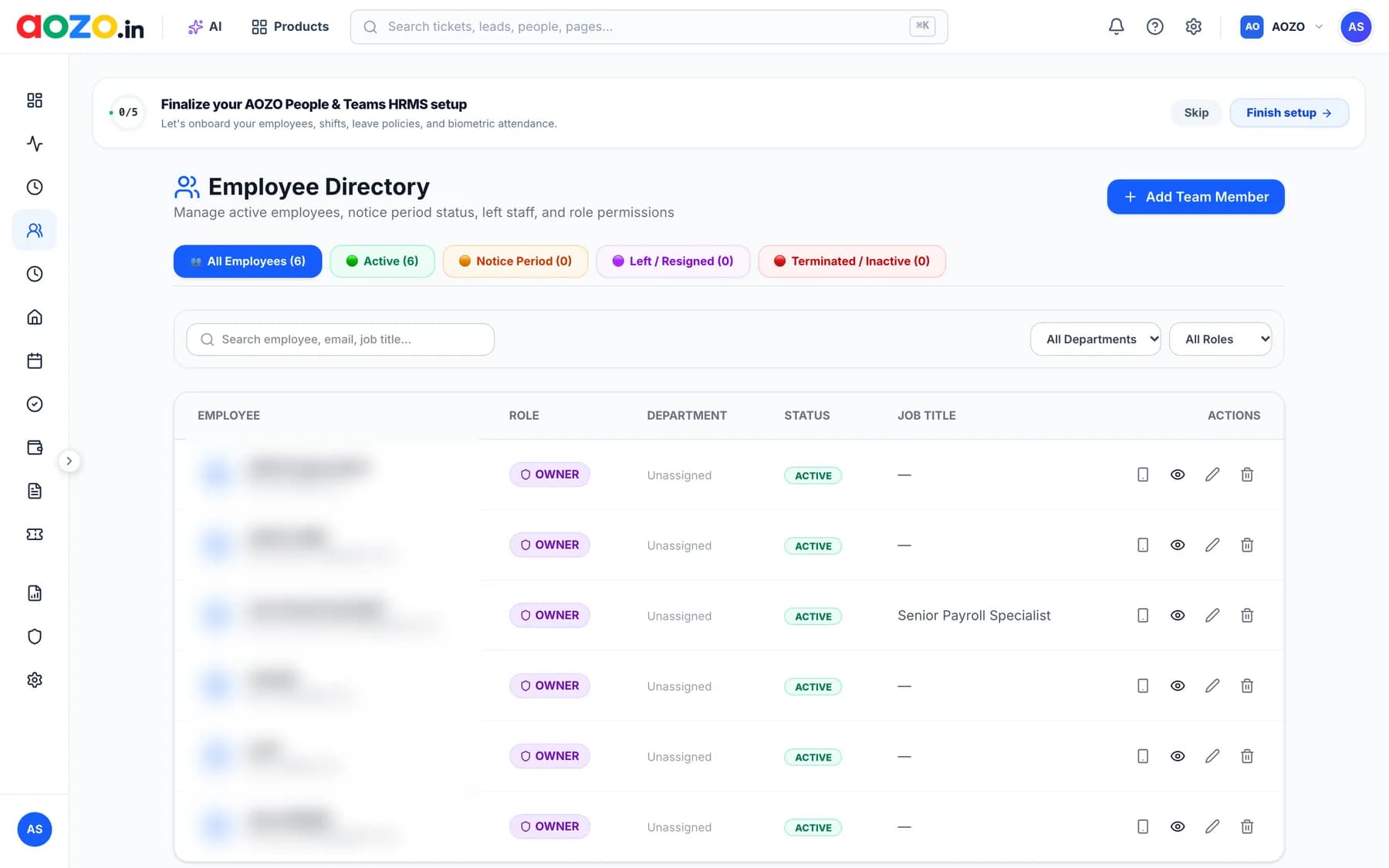
Everyone, their role, department, job title and status, with onboarding and notice-period filters.
- Search by employee, email or job title
- Tabs for Active, Notice period, Left or resigned and Terminated or inactive
- Filter by department and role
- Add a team member in one click
Leave without the spreadsheet
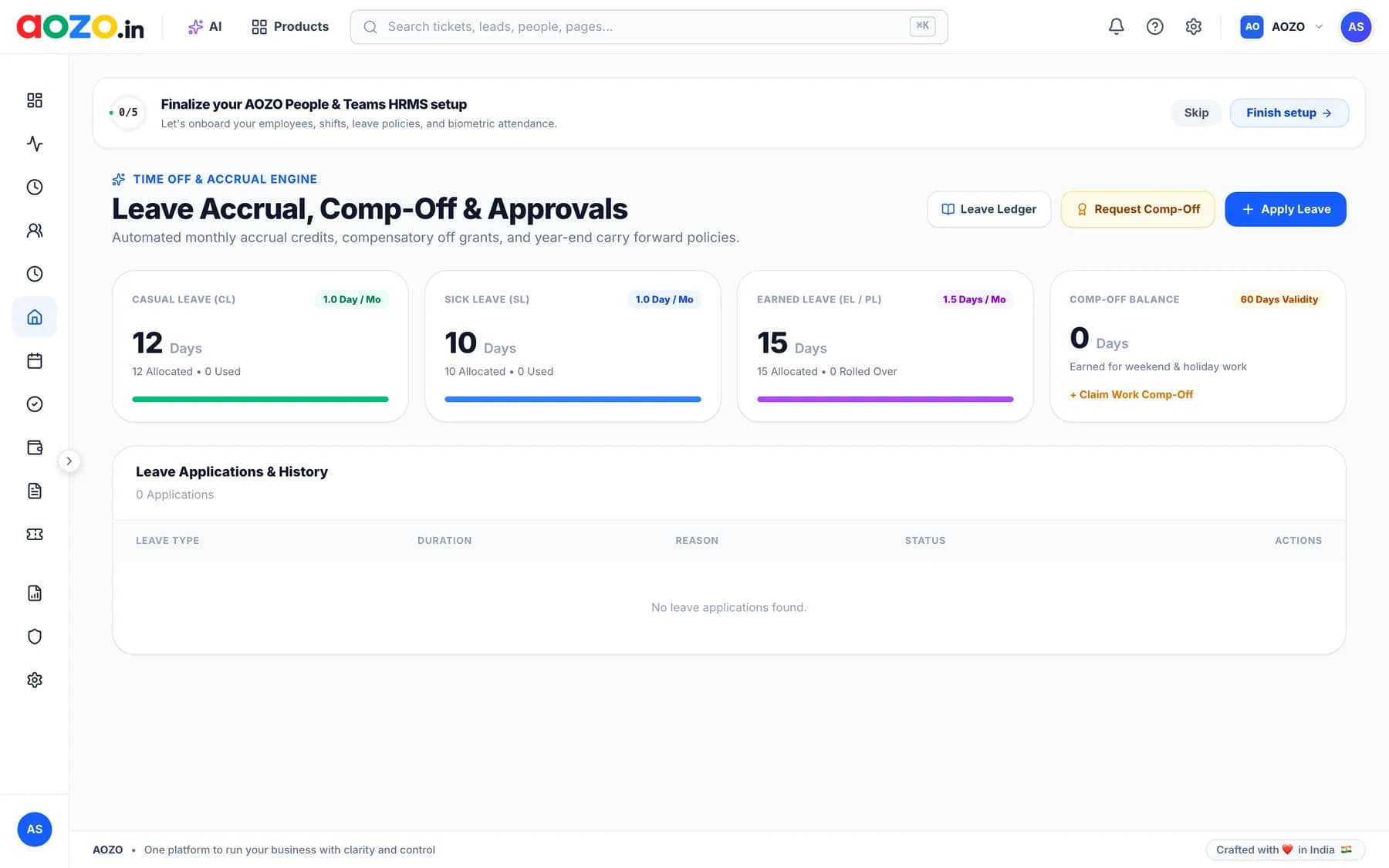
Accrual, balances, requests and approvals with a full leave ledger.
- Casual, sick and earned leave balances at a glance
- Comp-off earned for weekend and holiday work
- Leave applications and history in one list
- A leave ledger that shows how every balance changed
Plan shifts and publish the roster
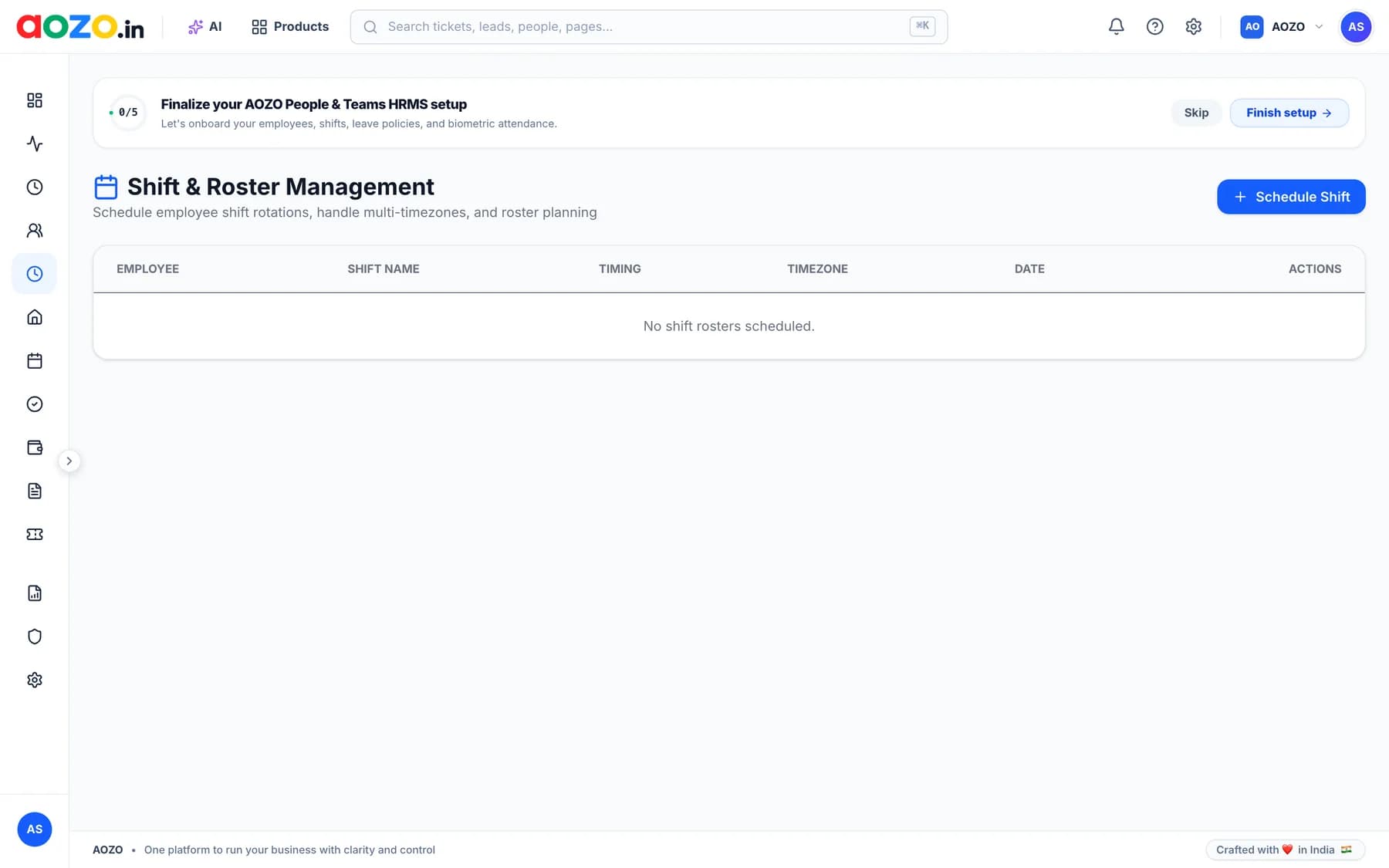
Plan shifts, handle timings and timezones, and publish the roster.
- Schedule shifts for each employee
- Handle multiple timezones
- Roster planning in one view
Built for your team
Admin and employee views
Admins manage people and payroll. Employees see their own attendance, leave and payslips.
Leave ledger
Every accrual, use and adjustment behind each balance.
Shifts across timezones
Plan shifts, handle timings and timezones, and publish the roster.
Role-based access
Give each person only the access their job needs.
Pay for the apps you use
AOZO Teams is its own subscription. Use it alone or alongside the other AOZO apps under one login.
Questions, answered
What is AOZO Teams?
AOZO Teams is HRMS software for the employee directory, attendance, leave, shifts and payroll.
Can it manage comp-off and leave?
Yes. Leave management covers accrual, comp-off, balances, requests and approvals with a leave ledger.
Do employees see their own data?
Yes. Admins see organisation-wide stats, and employees see their own personal view.
Can it manage shifts and rosters?
Yes. You can plan shifts, handle timings and timezones, and publish the roster.
Does AOZO Teams use AI?
AI can answer policy questions for employees and flag unusual attendance patterns for HR.
Do I need the other AOZO apps to use AOZO Teams?
No. Each AOZO app is its own subscription. Start with AOZO Teams and add others when you’re ready; they share the same login.
Does it work on my phone?
Yes. AOZO works on both phone and desktop.
Works with the rest of AOZO
Every AOZO app shares one login and one set of records. Add more whenever your business needs them.
Ready for a calmer payroll day?
Set up your workspace in minutes and add more apps whenever your team is ready.
- One login for every AOZO app
- Pay only for the apps you use
- Roles and activity logs included