ProductsAOZO POS
Get startedTable to kitchen to bill. One screen.
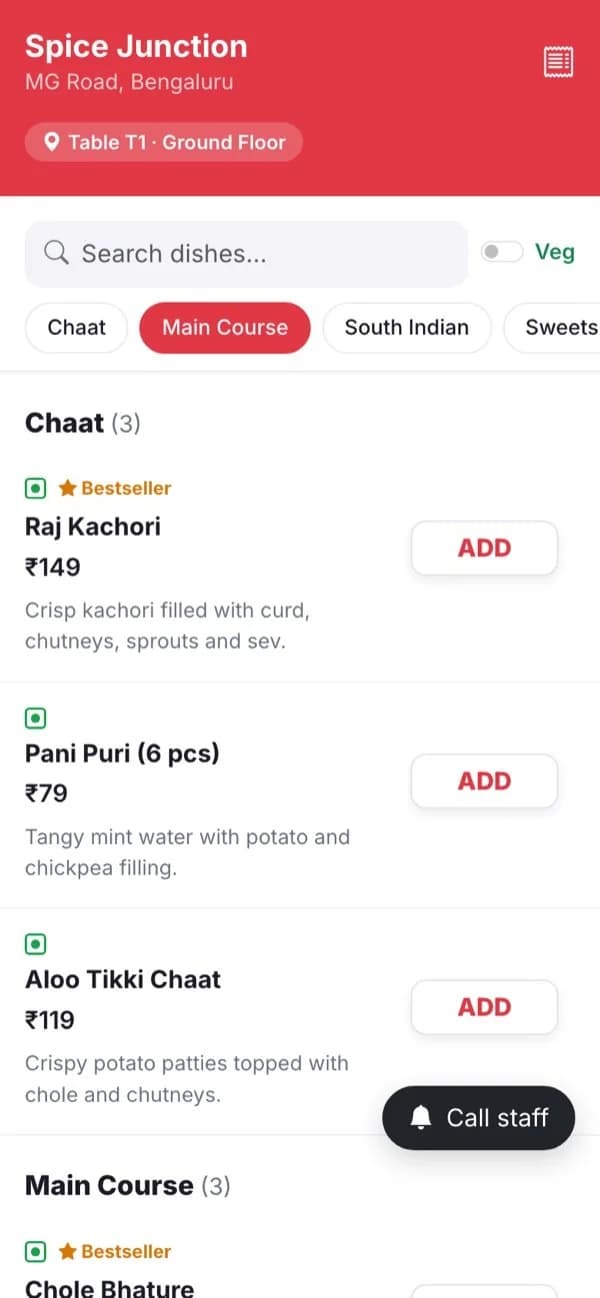
Guests scan the QR on their table and order from their phone. The order reaches your kitchen screen in seconds, and your cashier closes the bill without typing anything twice.
- No app for guests
- KOT printing
- Runs in any browser
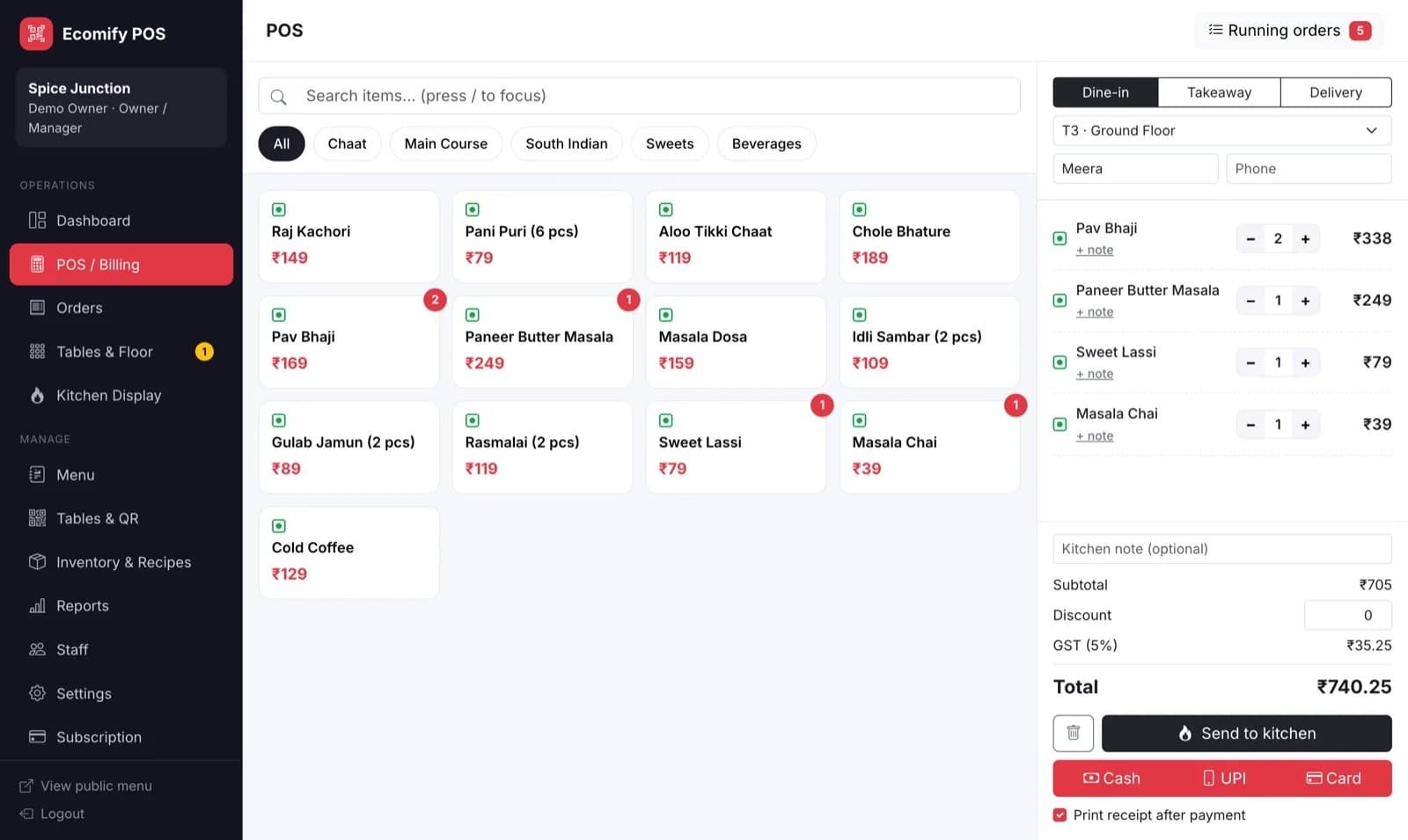
Works with what you already have
- Any Android or iPhone
- Laptop, tablet or PC browser
- 80mm thermal printers
How a table order flows
From scan to settled bill, without a waiter running back and forth.
- Guest scans the table QR
Your menu opens in the browser with prices, veg and non-veg marks and photos. The table number is already attached.
- Order lands in the kitchen
A ticket appears on the kitchen display with a chime, and the KOT can be printed. Notes like “no onions” come through as written.
- Guest sees live status
Received → Preparing → Ready → Served updates on their phone. They can order another round from the same QR.
- Bill and payment
The guest sees the itemised bill. The cashier marks it paid and prints the receipt.
Everything your floor and kitchen need
QR ordering
One QR per table, a menu with search and a veg-only filter, plus Call waiter, Water and Bring the bill buttons.
Kitchen display
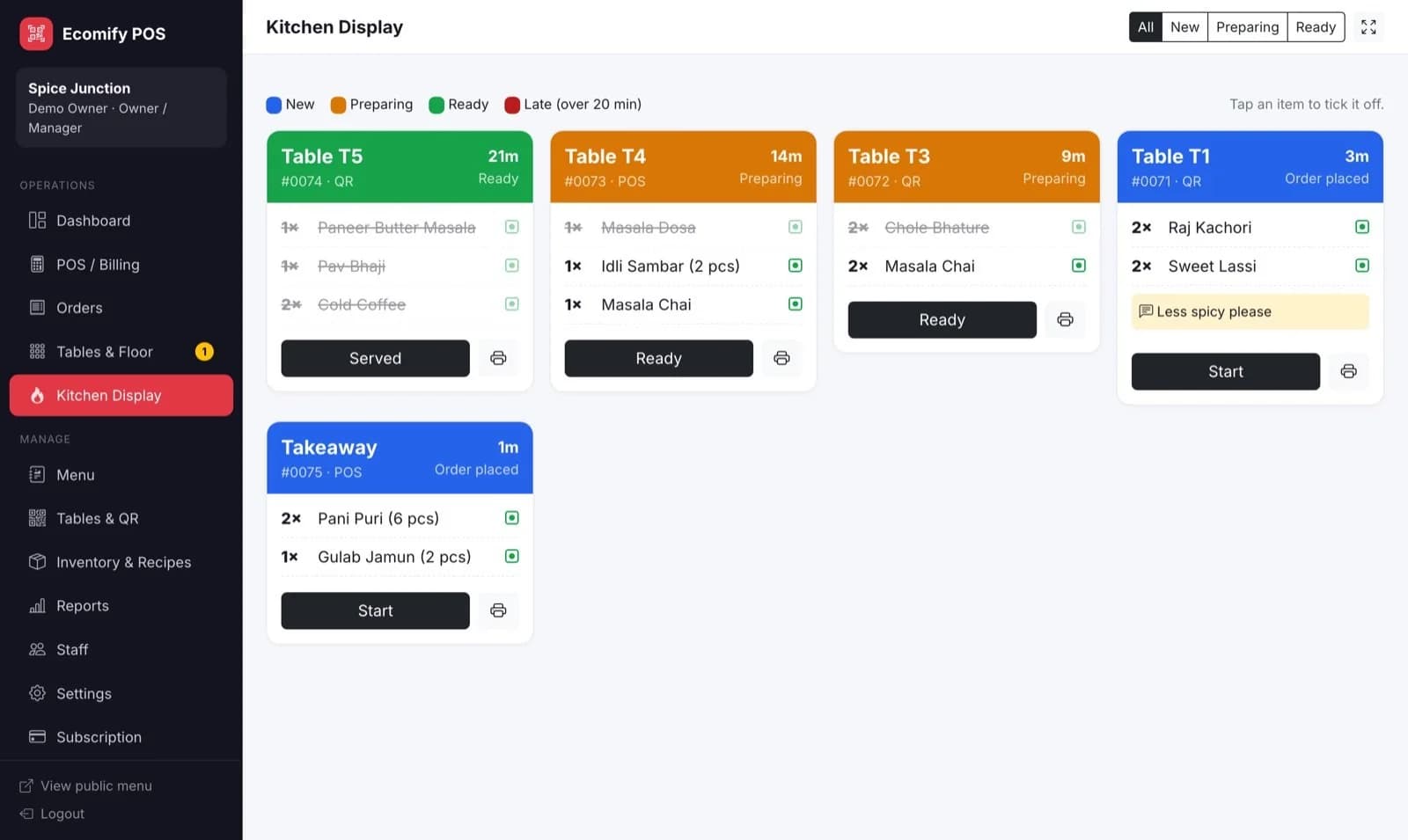
Colour-coded tickets in any browser. Tickets turn red after 20 minutes, and KOTs print in one tap.
Floor view
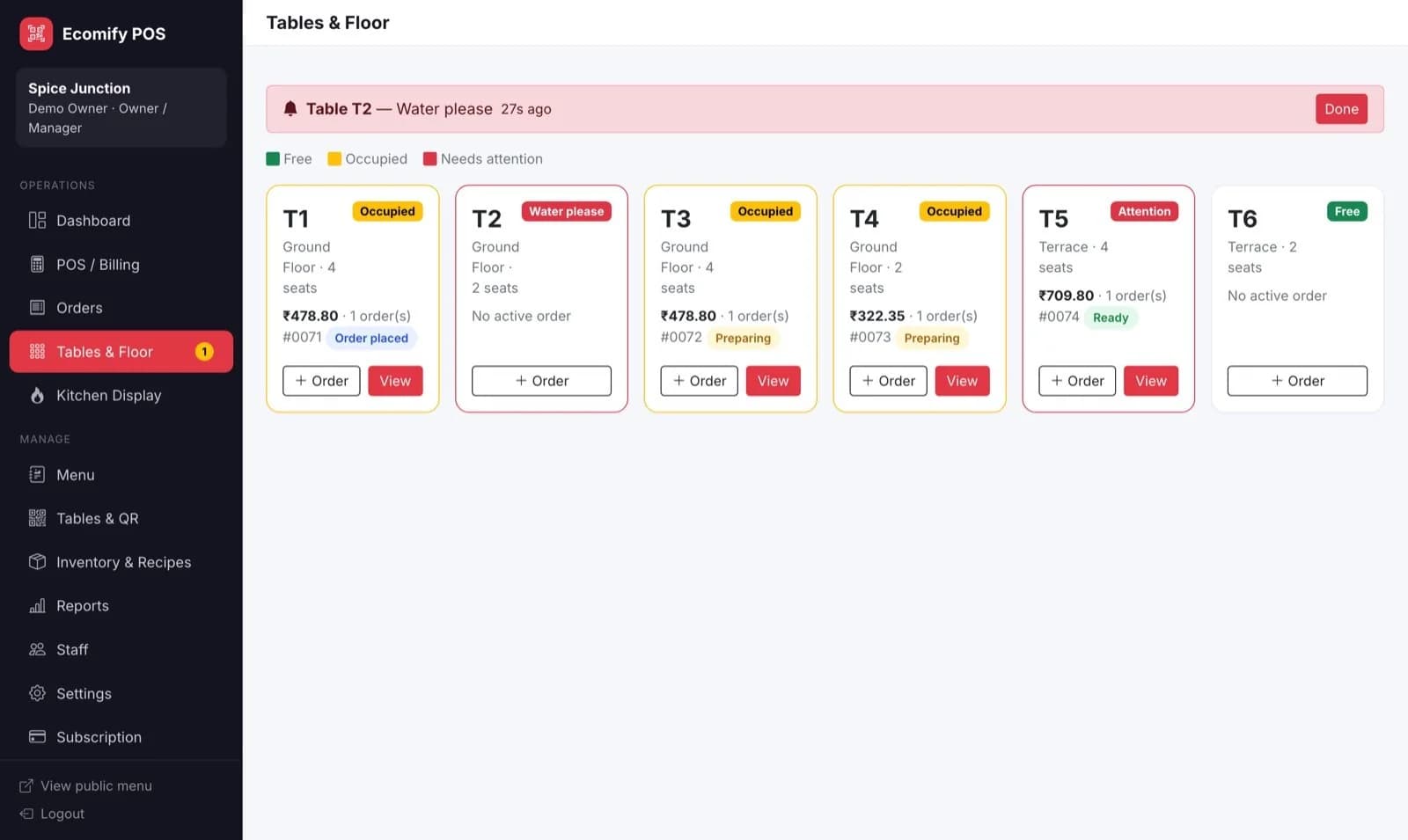
See which tables are free, occupied or need attention, with running bills and waiter calls on top.
Inventory and recipes
Link ingredients to dishes so every sale deducts stock. Get low-stock alerts and food cost per dish.
Dine-in, takeaway and delivery
All three order types from one counter screen, with discounts and add-items-to-running-order.
A closer look
The screens your team will use every day. Images show sample data.
Your chefs see every ticket, in order
Run it on any tablet or TV with a browser. Tickets are colour-coded by stage and turn red after 20 minutes.
- Tap an item to tick it off; the ticket moves to “Preparing” automatically
- One tap to mark Ready, and the guest’s phone updates
- Print a KOT for any ticket
Know which table needs you
Free, occupied and needs-attention tables at a glance, with the running bill on each. Waiter calls show up at the top with a sound.
- Start a POS order for any table in one tap
- See every open order on the table and its status
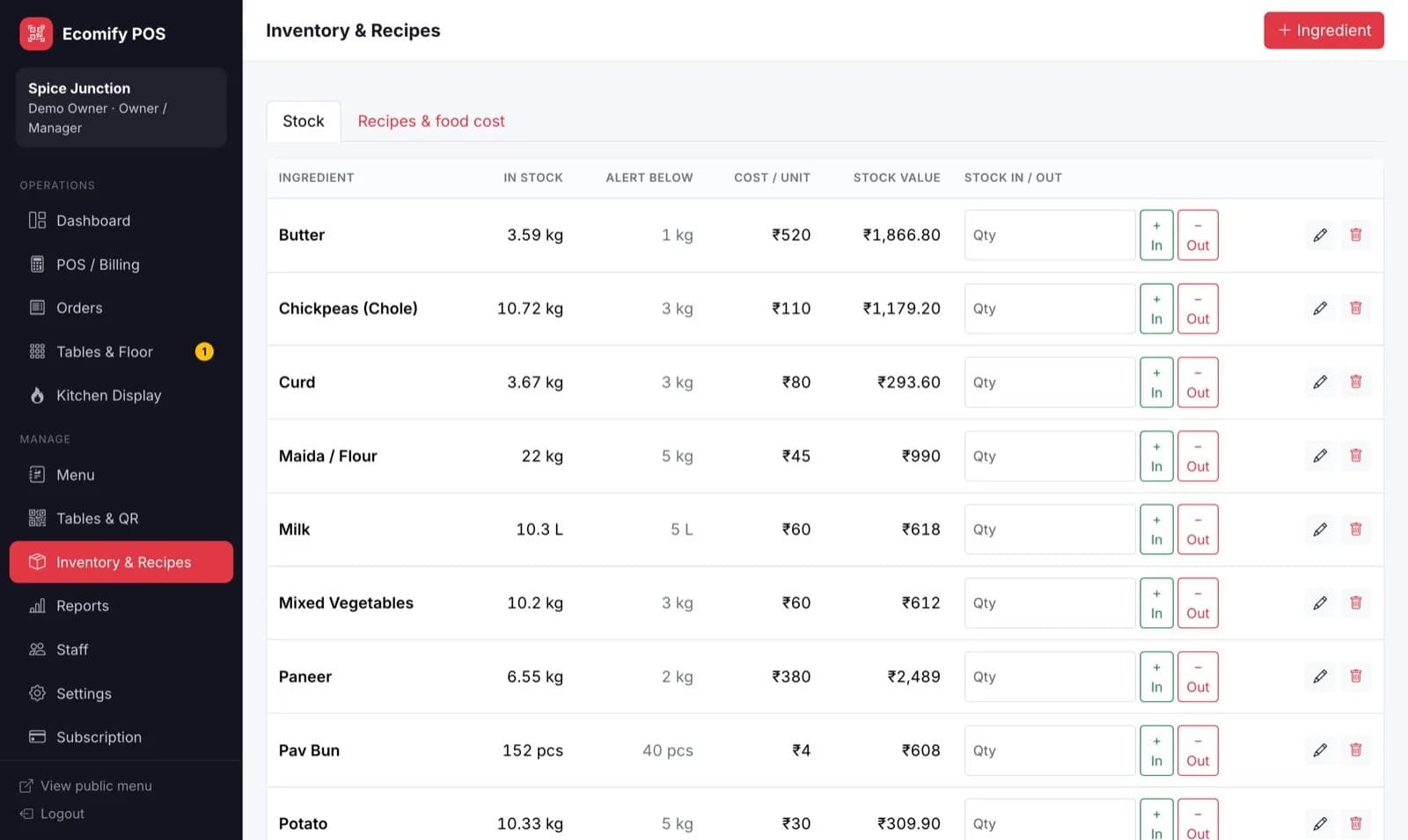
Stock that updates itself
Enter the recipe once, say 150 g paneer and 30 g butter per Paneer Butter Masala, and every plate sold deducts the ingredients.
- Low-stock alerts on the dashboard
- Food cost and cost % for every dish
- Stock-in and wastage entries in one click
Built for busy restaurants
Itemised bills
Every order becomes an itemised bill with an optional service charge.
KOT and 80mm receipts
Kitchen tickets and customer receipts formatted for standard 80mm thermal printers.
Veg and non-veg marks
The familiar green and red symbols on the QR menu, POS and kitchen tickets.
Dine-in, takeaway, delivery
One counter screen for all three, with discounts and add-items-to-running-order.
Roles for your team
Separate logins for owner, cashier, waiter and kitchen. Each sees only their screen.
Pay for the apps you use
AOZO POS is its own subscription. Use it alone or alongside the other AOZO apps under one login.
Questions, answered
Do guests need to download an app?
No. The QR opens your menu in the phone’s browser, whether that is Chrome, Safari or anything else. No login, no app.
What hardware do I need?
Any laptop, desktop or tablet with a modern browser for the counter and kitchen. Receipts and KOTs print through the browser to any 80mm thermal printer connected to that device. Guests use their own phones.
Does it work without internet?
No. The counter, kitchen screen and guest menu all need an internet connection. A normal broadband or 4G connection is enough, because the pages are small.
Part of the AOZO suite
Every AOZO app shares one login. Add more whenever your business needs them.
Set it up before tonight’s dinner rush
Set up your workspace in minutes and add more apps whenever your team is ready.
- One login for every AOZO app
- Pay only for the apps you use
- Roles and activity logs included