Track time and read the dashboard
Log time against tasks and read status, leaderboard and trend graphs.
#Log time
Open a task
Open the task you worked on.
Log your time
Add the time you spent on it.
Review the week
See where the week actually went across tasks and projects.
#Task Dashboard
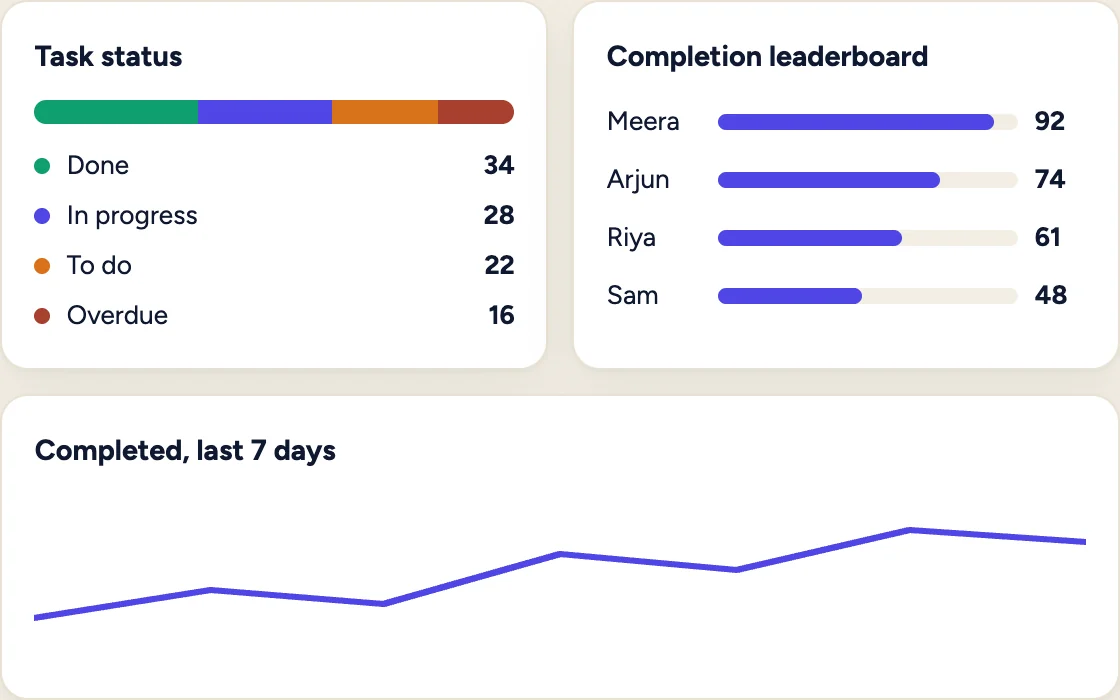
Illustration with sample data, not a product screenshot.
| Graph | What it tells you |
|---|---|
| Task status distribution | How many tasks are done, in progress, to do or overdue |
| Completion leaderboard | Who is completing the most tasks |
| 7-day completion trend | Whether the team is speeding up or slowing down |