AOZO Projects overview
Projects, tasks, boards and time tracking with team analytics.
AOZO Projects helps your team plan work, run it on boards, log time and see what is moving and what is blocked.
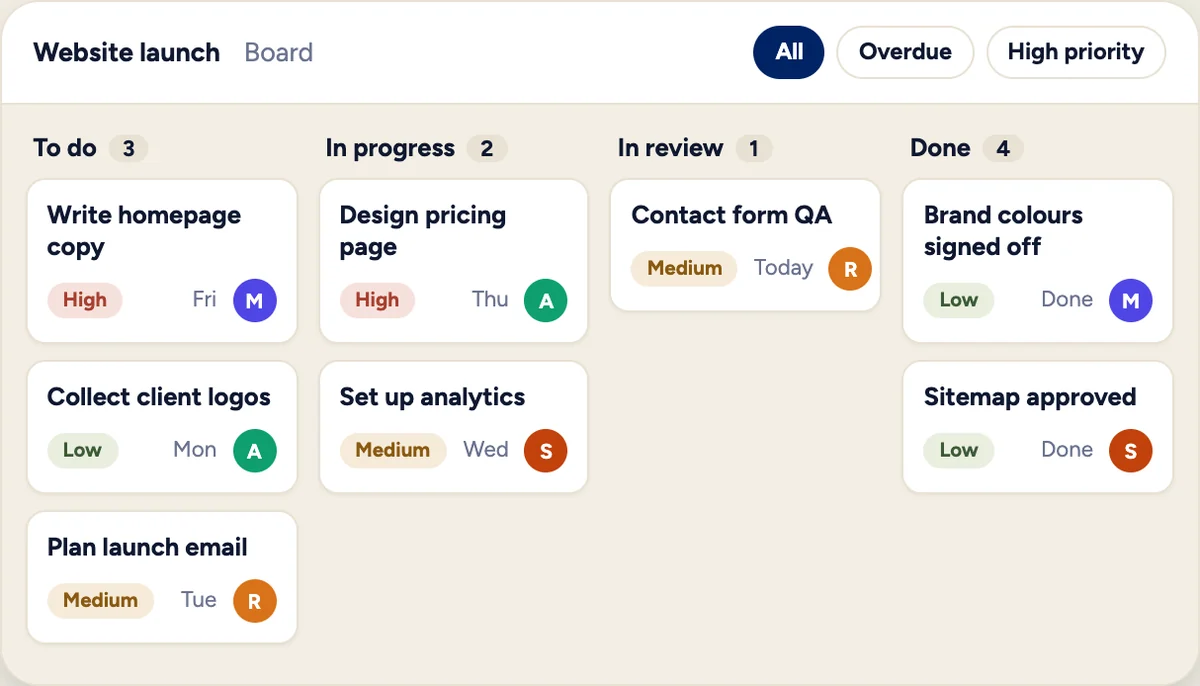
Illustration with sample data, not a product screenshot.
#How work is organised
- Spaces hold your projects, for example one space per team or client.
- Projects hold lists.
- Lists hold tasks, each with an owner, a due date, a priority and a status.
#Pages
| Page | What it is for |
|---|---|
| Workspace | Spaces, projects and lists with a Kanban board |
| My Tasks | Your own tasks in one place |
| All Tasks | Every task, for managers, with filters |
| Task Dashboard | Graphs of status, completion and trend |
| Workload | Who has too much on their plate |
| Apps | Connect Figma, Drive, Dropbox, Zoom, Meet and GitHub |
#Who can do what
| Role | Can |
|---|---|
| Admin | Create the organisation, invite members, assign and reassign tasks |
| Project manager | Assign and reassign tasks in their projects |
| Member | Work on tasks, take work for themselves and log time |
#Where to start
- Create a space and a project.
- Add lists and tasks, with owners and due dates.
- Open the board and move tasks as work happens.
- Check the Task Dashboard and Workload weekly.